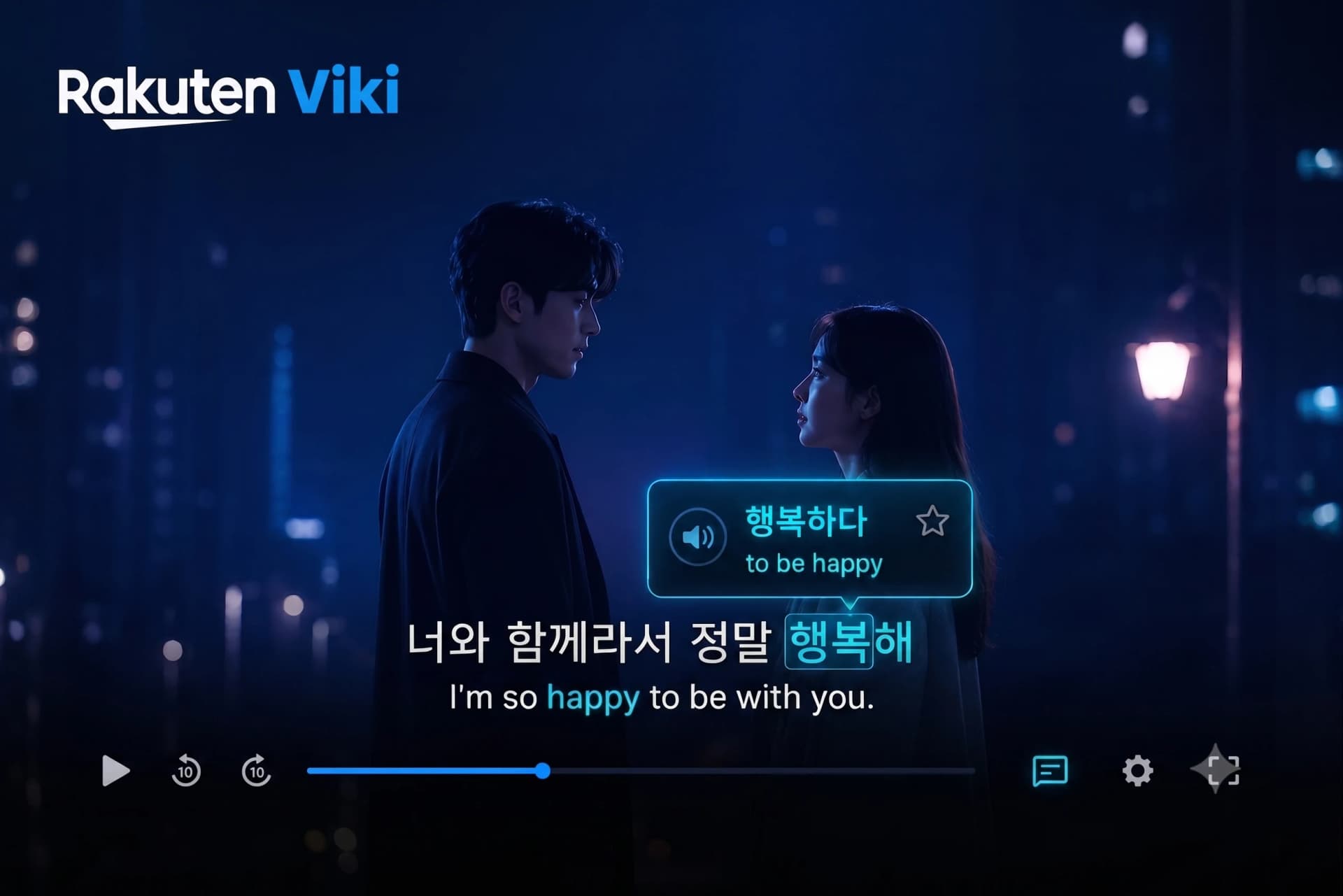
For years, Rakuten Viki was the premier destination for Korean language learners thanks to its native Viki Learn Mode, which allowed users to view Korean Hangul and English translations side-by-side. However, since Viki sunsetted and restricted Learn Mode features, thousands of K-Drama enthusiasts have been left looking for a reliable way to study with their favorite shows.
Fortunately, you don't need to give up on learning Korean with Viki. In this guide, we show you how to restore interactive dual subtitles, look up Korean words in context, and mine vocabulary directly from Rakuten Viki.
Why K-Dramas Are Powerful for Korean Acquisition
Korean is a language rich in honorifics, colloquial speech, and contextual particles. Textbooks often present hyper-formalized language that native speakers rarely use in casual settings. K-Dramas provide three unique advantages:
-
Natural Cadence & Pronunciation: Exposure to realistic conversational pacing and emotional intonation.
-
High-Frequency Vocabulary: Popular tropes expose you to recurring core Korean verbs and adverbs.
-
Visual Anchors: Facial expressions and situational context make abstract particles like ~는/은 or ~가/이 intuitive.
Restoring Interactive Dual Subtitles on Viki
Without Learn Mode, viewing English and Hangul simultaneously requires modern browser tools. Using the Metheus Chrome Extension, you can overlay interactive dual subtitles on Rakuten Viki's web player instantly.
Metheus allows you to click on any Korean word in the subtitle track to get an instant contextual dictionary popup (Ctrl+D) with the word's meaning in that sentence.

Learn Languages with YouTube
Watch videos in your target language, auto-capture words into flashcards, and track your progress — all in one place.
Start Free →3-Step Strategy to Study Korean with K-Dramas
Step 1: Active Dual Subtitle Viewing
Watch scenes first with both Hangul and your native language enabled. Focus on mapping spoken phrases to written Hangul.
Step 2: Word Lookup
When you hit a sentence you don't understand, hover or press Ctrl+D over the target word. Metheus shows the meaning of the word in context. It does not break Korean verbs into root and endings (for example 했어 into 하다 + past tense), so use a Korean grammar reference for that.
Step 3: 1-Click Card Mining
Save high-frequency sentences into your Metheus deck with one click. Mined cards automatically include audio clips and video snapshots for effortless spaced repetition review.
Start Learning Korean on Viki Free
Turn your K-Drama binge-watching into genuine fluency. Metheus works seamlessly on Rakuten Viki, Netflix, and YouTube.
FAQ
Is Viki Learn Mode still available?
Viki Learn Mode has been restricted and sunsetted across many regions and platforms, making browser extensions like Metheus the best alternative for dual subtitles.
Can Metheus explain Korean grammar particles?
Not yet. Metheus gives contextual dictionary lookups, but it does not do morphological analysis of Korean: it does not split conjugations or explain particle functions.
Language learning in 2026 isn't about finishing daily streaks. The fastest path to fluency combines three elements: comprehensible input from real media you enjoy, active vocabulary capture while consuming that content, and spaced repetition to lock words into long-term memory. Gamified apps build the habit. Immersion tools build the fluency. The most effective learners use both—in that order.
Start with Metheus
Watch videos in your target language, auto-capture words into flashcards, and track your progress — all in one place.
Get Started Free →