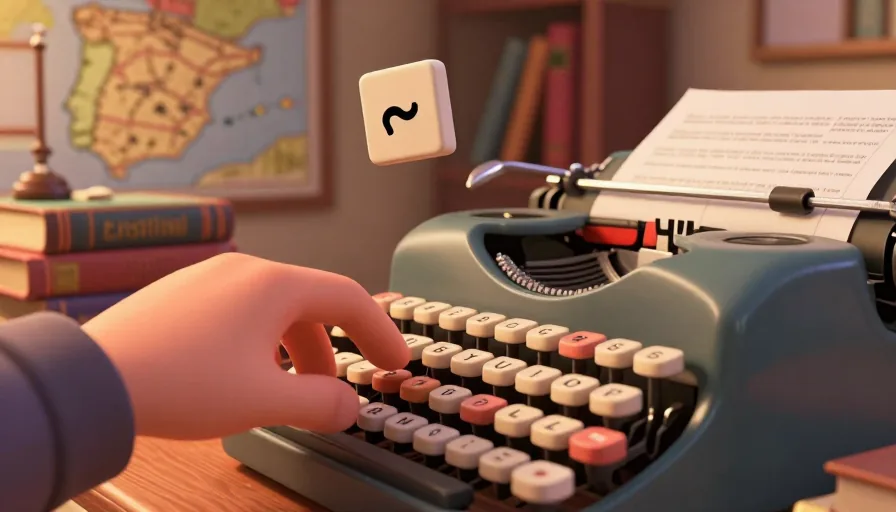
Learning how to add Spanish accents is essential for anyone studying or working with the Spanish language. Accents and diacritics are crucial for correct pronunciation and meaning. This guide covers software shortcuts, physical keyboard configurations, and specific examples to help you type Spanish accents accurately.
Understanding Spanish Diacritics: A Quick Reference
Before diving into the methods, let's review the common Spanish diacritics:
- Á, É, Í, Ó, Ú: Acute accents (á, é, í, ó, ú)
- Ñ: Tilde (ñ)
- Ü: Diaeresis (ü)
- ¿, ¡: Inverted question and exclamation marks
Method 1: Using Keyboard Shortcuts in Word and Outlook
For users of Microsoft Word and Outlook, keyboard shortcuts are a quick way to add Spanish accents. Here are some common shortcuts:
Common Keyboard Shortcuts
| Character | Shortcut (Windows) | Shortcut (Mac) |
|---|---|---|
| á | Alt + 0225 | Option + e, a |
| é | Alt + 0233 | Option + e, e |
| í | Alt + 0237 | Option + e, i |
| ó | Alt + 0243 | Option + e, o |
| ú | Alt + 0250 | Option + e, u |
| ñ | Alt + 0241 | Option + n, n |
| ¿ | Alt + 0191 | Option + Shift + ? |
| ¡ | Alt + 0161 | Option + Shift + ! |
Mini Drill: Practice Typing Accents
Try typing the following sentence using the shortcuts:
"¿Cómo estás? ¡Estoy bien!"
Method 2: Configuring Your Keyboard for Spanish Accents (Software Solutions)
For a more integrated solution, consider configuring your keyboard layout or using specialized software.
Changing Keyboard Layout
- Windows: Go to Settings > Time & Language > Language. Add Spanish as a preferred language and set it as the default.
- Mac: Go to System Preferences > Keyboard > Input Sources. Add Spanish and enable the input menu.
Using Paralee Software
Paralee is a popular tool for adding Spanish accents. Here’s how to set it up:
- Download and install Paralee from the official website.
- Open Paralee and select the Spanish keyboard layout.
- Follow the on-screen instructions to configure your keyboard.
Checklist for Keyboard Configuration
- Download and install Paralee or another Spanish keyboard software.
- Configure your keyboard layout to Spanish.
- Test typing common Spanish accents to ensure correct configuration.

Learn Languages with YouTube
Watch videos in your target language, auto-capture words into flashcards, and track your progress — all in one place.
See How It Works →Method 3: Physical Keyboard Layout/Software Configuration Methods
If you frequently type in Spanish, consider purchasing a physical Spanish keyboard or using a USB keyboard with a Spanish layout.
Purchasing a Spanish Keyboard
- Identify Your Needs: Determine if you need a full-size or compact keyboard.
- Research Brands: Look for reputable brands known for quality and durability.
- Check Compatibility: Ensure the keyboard is compatible with your operating system.
Using a USB Keyboard with Spanish Layout
- Purchase a USB Keyboard: Buy a USB keyboard with a Spanish layout.
- Connect and Configure: Plug the keyboard into your computer and configure it in your operating system settings.
- Test Typing: Ensure all accents and diacritics work correctly.
Troubleshooting Common Accent Typing Issues
Even with the right setup, you might encounter issues. Here are some common problems and solutions:
Issue: Accents Not Displaying Correctly
- Solution: Check your keyboard layout settings and ensure the correct language is selected.
Issue: Shortcuts Not Working
- Solution: Verify that your keyboard shortcuts are enabled and correctly configured in your software settings.
Issue: Software Conflicts
- Solution: Disable any conflicting software or keyboard drivers that might interfere with your Spanish keyboard settings.
Conclusion
Mastering how to add Spanish accents is a crucial skill for language learners and professionals. By using keyboard shortcuts, configuring your keyboard layout, and understanding the common diacritics, you can type in Spanish with confidence. Practice regularly and refer to this guide for troubleshooting any issues that arise.
FAQ
Can I use these methods on a Mac?
Yes, the keyboard shortcuts and software configurations work on both Windows and Mac. For Mac users, the shortcuts are slightly different and involve using the Option key.
Do I need to buy a physical Spanish keyboard?
Not necessarily. You can use keyboard shortcuts or configure your existing keyboard layout to type Spanish accents. However, a physical Spanish keyboard can be more convenient if you frequently type in Spanish.
What if the shortcuts don't work?
If the shortcuts don't work, ensure that your keyboard layout is set to Spanish and that there are no conflicting software or drivers. You can also try restarting your computer or reconfiguring the keyboard settings.
Related phrases
Start with Metheus
Watch videos in your target language, auto-capture words into flashcards, and track your progress — all in one place.
Get Started →